
Direct Mechanism for Exporting Apple Mail to EML – Abandon the Awful Manual Methods!

Looking for a quick and reliable way to export Apple Mail to EML? Many users still try manual tricks like digging into EMLX files or converting MBOX archives, but those methods are slow, confusing, and often lead to incomplete results. Whether you want to back up your Apple Mail data, move messages to another email client, or keep your emails in a universal format, EML is one of the most convenient file types. In this guide, we’ll explore why traditional methods usually fail and how you can switch to a smarter, error-free solution for converting Apple Mail to EML.
One of the many ways to export Apple Mail mailboxes into generic EML file is through file converters from third-parties.
Exporting Apple Mail to EML file
- You find the data file called EMLX files inside Apple Mail profile and using an EMLX to EML converter, convert them into EML. Each EMLX file contains a single message, while attachments are in EMLXPART files.
- Alternatively, you can find a third-party MBOX to EML converter. Archive your Apple Mail into MBOX and then with a converter, convert it to EML.
- And if you do not want to have EML Files specifically but simply want to move Apple Mail to clients like Windows Live Mail, you can also skip the entire Apple Mail to EML conversion. Using an email account, simply configure it on both email clients and first, sync the Apple Mail folders to that email account/server, and then, sync it back to Windows Live Mail.
While these techniques may be applicable under certain scenarios, they are mostly ineffective for most cases where the database to move is large or even normal size. These manual techniques have major flaws, making it wise to stay away from there. It is not relevant or useful to go through these flaws one by one. However, one important tidbit is that the biggest issues that can be the most debilitating is the data loss or incomplete conversion of data.
Convert Apple Mail to EML with Mail Extractor Max
To deal with data loss and all other common problems, you can get “Mail Extractor Max” today and forget about them. It is an amazing solution offered by USL Software through the help of the state-of-the-art algorithms and interface that are unparalleled.
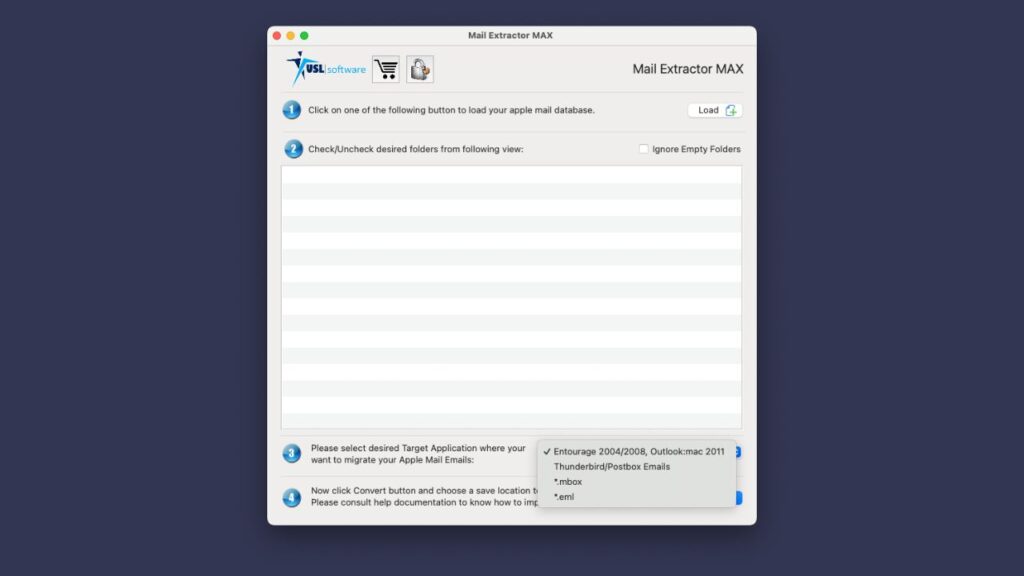
Auto Load Mailbox
One most significant factor is the auto-loading mechanism of Apple Mail. You do not need to look for any files or deal with them yourself in any way. By choosing the ‘Auto-load’ option, the tool can scan and get ready your main database (Profile), or you can also choose any backup location, but the mechanism remains the same.
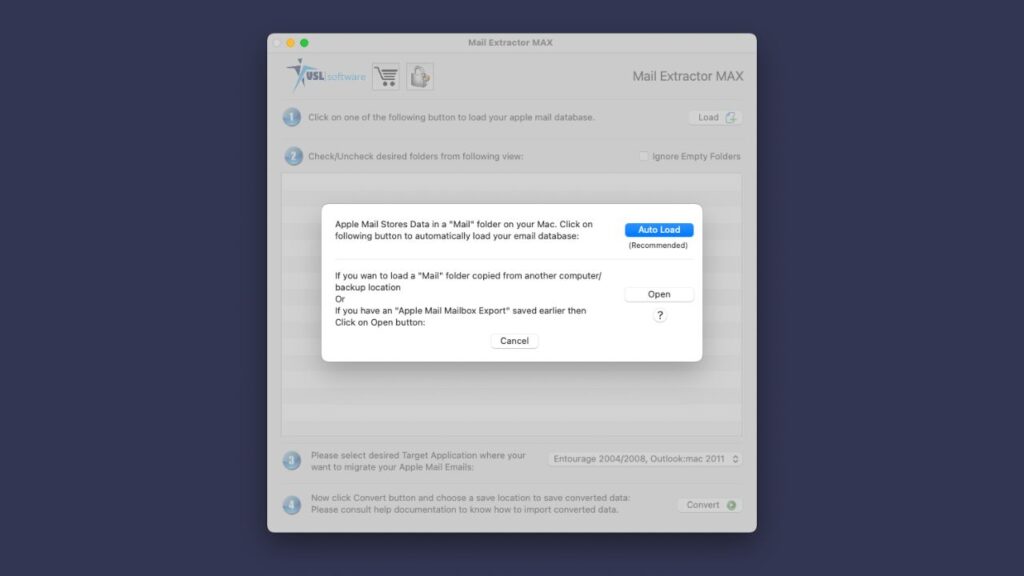
One obvious benefit of auto-loading mechanism is simplicity. But there are more significant additions to the process, making it accurate and streamlined.
Since there are no manual handling, the errors are also unlikely to happen. The algorithms developed for the tool to process the information have been calibrated down to perfection. Along with the main set of algorithms, there are dedicated uniquely developed means for your contents such as headers, graphics, and Unicode text characters.
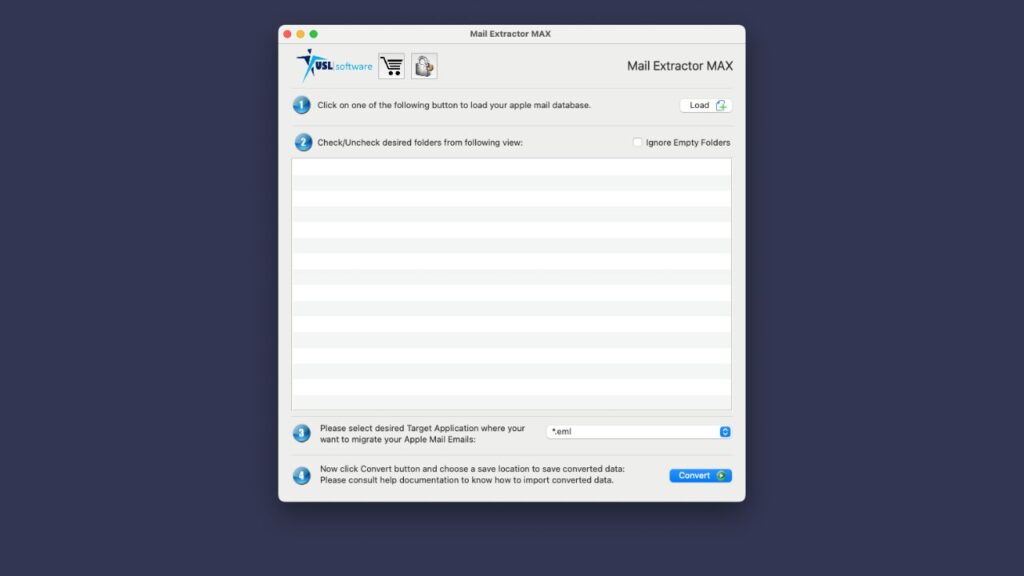
Get it today
“Mail Extractor Max” is for Mac OS X and is available for direct download below without giving any information or signing up for anything. Once downloaded the setup, you can install it in less than ten minutes and get started. All your concerns, anxiety, and whatever else is your mind can relax.
Time to let go of the old methods and get “Mail Extractor Max” today.
For further questions, get in touch with the support team. They are also available around the clock to offer you a hand in case you require. They are quick to respond, experts at email migration, and friendly.
Final Thoughts
Converting Apple Mail to EML doesn’t have to be a frustrating or risky process. While manual techniques exist, they often create more problems than solutions—especially when dealing with large mailboxes or sensitive data. That’s why using a professional tool like Mail Extractor Max is the smarter choice. With its auto-load feature, advanced algorithms, and user-friendly interface, you can ensure that your emails, attachments, and formatting remain intact. If you’re serious about safe, accurate, and time-saving email migration, it’s time to let go of outdated methods and switch to a reliable solution.
📚 Further Reading
- EML to PST Conversion Tool — Explore a tool that converts EML files into PST format, useful when moving data to Microsoft Outlook.
- Apple Email to EML Converter Tool — A guide discussing different tools and how they help convert Apple Mail data into EML (and other formats).
- PST to MBOX Converter (Free / Advanced Options) — Learn about converting PST files into MBOX (or EML) format, which can be part of cross-platform email migration workflows.
- Convert Apple Email to EML (No Deception) — Insights into choosing trustworthy tools for converting Apple Mail files to EML without data loss or pitfalls.


